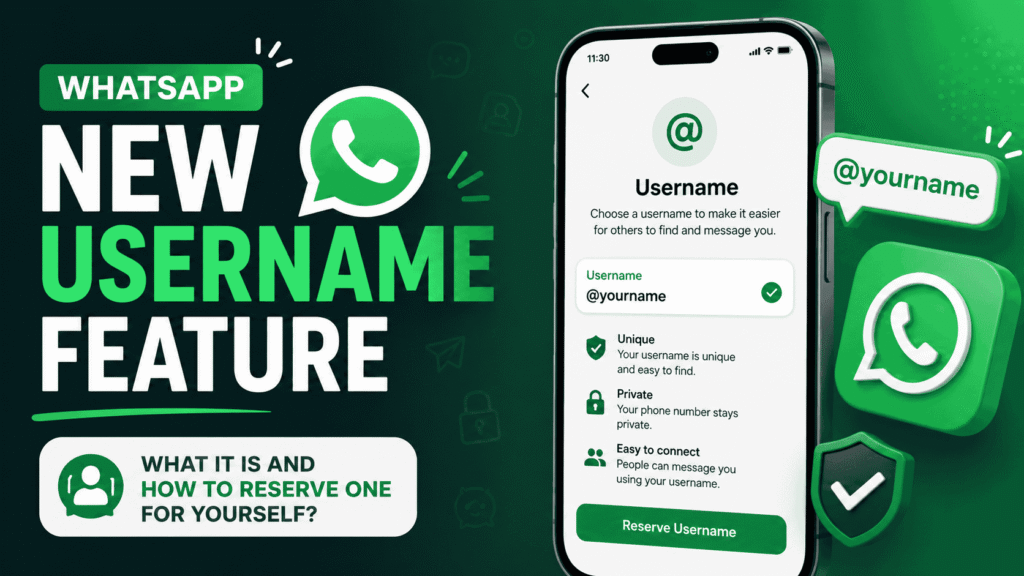
WhatsApp New Username Feature : What It Is and How to Reserve One for Yourself?
WhatsApp new username feature is one of the most anticipated privacy updates for the messaging giant. Announced officially in late June 2026, it allows users to create a unique, shareable handle (like @YourName123) that can replace the need to share your phone number when connecting with others. This optional feature enhances privacy, reduces spam risks, […]
Nimmi Chaudhary
Published: Tuesday, 30 June 2026 | 6:06 PM
Reading Time: 4 min read
Share:
WhatsApp new username feature is one of the most anticipated privacy updates for the messaging giant. Announced officially in late June 2026, it allows users to create a unique, shareable handle (like @YourName123) that can replace the need to share your phone number when connecting with others.
This optional feature enhances privacy, reduces spam risks, and makes it easier to connect without revealing personal contact details—similar to how usernames work on platforms like Instagram, Telegram, or X.
For years, WhatsApp relied solely on phone numbers for identification. This worked well for personal chats but posed privacy challenges when sharing contacts, joining groups, or interacting with businesses and new people.
WhatsApp New Username Feature
Key benefits of WhatsApp new username feature include:
Enhanced Privacy: Share your username instead of your phone number. New contacts see your @handle first.
Easier Connections: Search and message people using usernames once fully rolled out.
Spam Reduction: Optional controls (like a “key” or restrictions) to limit who can message or call you.
Business Use: Companies can create professional handles for customer communication.
The full rollout of chatting and calling via usernames is happening gradually over the coming months (later in 2026), but reservations are open now to secure your preferred name before popular ones are taken.
How to Reserve Your WhatsApp Username Right Now
Reserving is completely optional and can be done (or changed/deleted) at any time. Here’s a simple step-by-step guide:
Update WhatsApp: Ensure you have the latest version of the app on your primary mobile device (Android or iOS).
Open WhatsApp and tap the More options (three vertical dots) or go to Settings.
Tap your profile at the top.
Look for Username or Create username / Reserve username.
Tap Create username and enter your desired handle.
Rules: 3–30 characters, lowercase letters, numbers, periods (.), and underscores (_).
Cannot start with “www.” or end with a domain like .com.
Must be unique and available.
Confirm and reserve it. You’ll get a notification when the full feature is ready for your account, and your reserved username will be held exclusively for you.
Tip: Act quickly—popular names are being claimed fast. Use your primary device for the reservation.
WhatsApp New Username Feature
WhatsApp New Username Feature : What Happens After Reservation?
Your username stays reserved even if the feature isn’t live in your region yet.
Once available, you can use it for new chats/calls while keeping your phone number private.
You can still use phone numbers if you prefer—the feature is optional.
Usernames link to your existing account; changing or deleting one is straightforward.
Important Things to Know
Availability: Rolling out gradually. Not everyone sees the option immediately—keep the app updated.
Security: Usernames help fight impersonation but be cautious of scams pretending to be official accounts.
Cross-Platform: You may be able to reserve handles matching your Instagram or Facebook username via Meta’s Accounts Center in some cases.
AI Agent Jobs in 2026 : A lot of thought goes into deciding what a child should pursue it is the most defining moment in the lives of the parents as well as the child one wrong move and the game falls apart every day there is a new subject a new career opportunity it […]
WhatsApp new username feature marks a big step toward more flexible, privacy-focused messaging. By reserving yours today, you ensure you get the handle you want when the feature fully launches.
Artificial intelligence company anthropic has seen the share of junior technical hires falls sharply from 27% to 9% as growing use Artificial intelligence changes recruitment priorities and reduces demand for entry level technical roles according to a research report by the company the findings highlight how Artificial intelligence adoption could effect job opportunities for fresh […]
Apple has shaken up its traditional iPhone launch cadence. While the iPhone 18 Pro, iPhone 18 Pro Max, and the company’s first foldable (iPhone Duo) arrived in fall 2026, the standard iPhone 18 is expected later. This shift has generated strong interest among buyers looking for a more affordable upgrade path into the latest Apple […]
The Tesla Roadster has finally taken center stage again. After years of delays, prototypes, and sky-high promises, Tesla unveiled its second-generation electric sports car in spectacular fashion on October 15, 2026. What arrived is not the car first teased in 2017. It is something far more extreme, a rear-wheel-drive machine that can drive upside down, […]
Nimmi Chaudhary
17 October 20268 min read
Education
Union Budget 2026 highlights : Key announcements from FM Nirmala Sitharaman